
• English
  • Product Center

    Product List

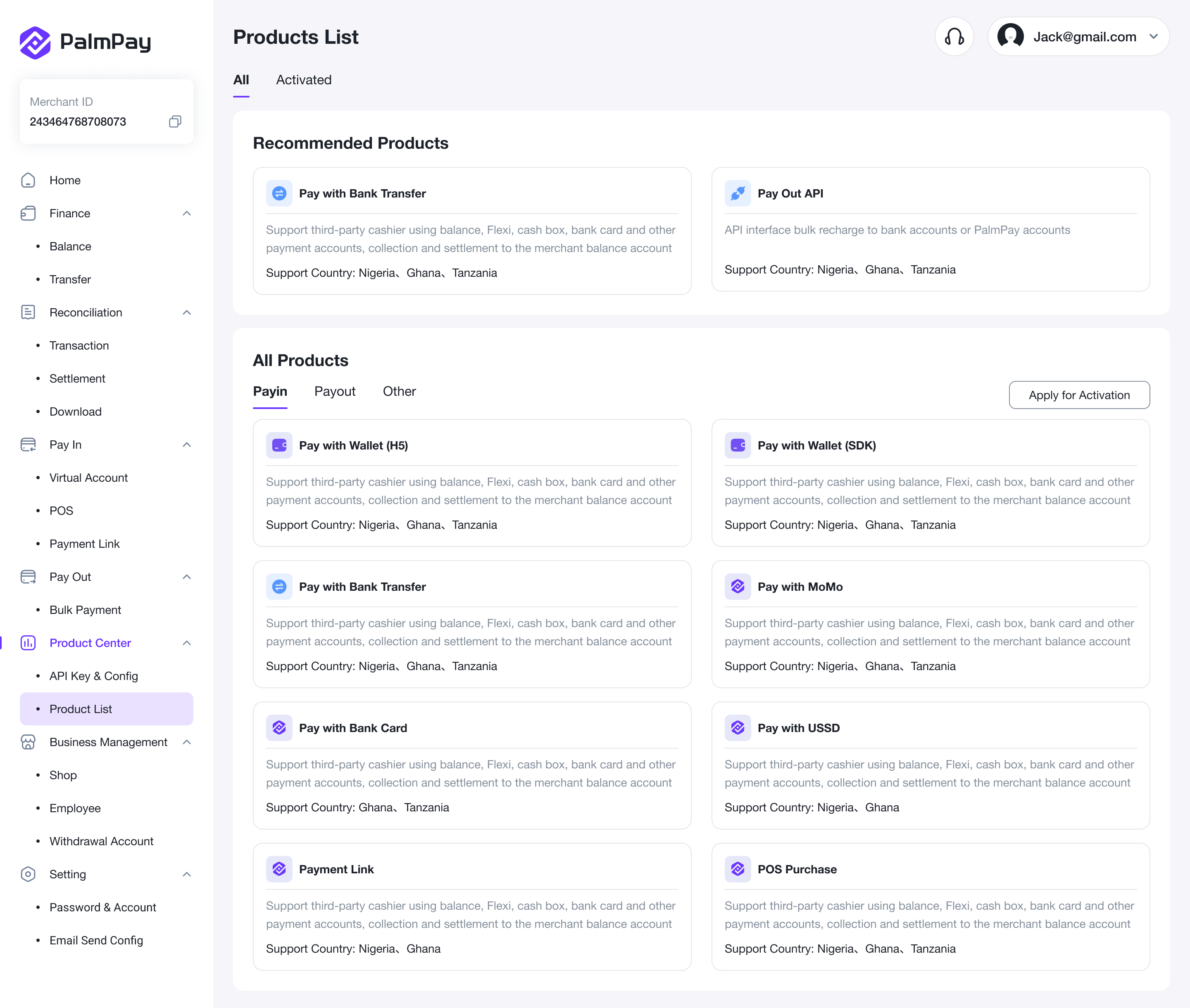
    Showing all the products that PalmPay Business currently supports in multiple countries, please contact BD to complete the activation of the product usage privileges, the activated products will be shown in the Activated interface.
    pc1

    API Key & Config

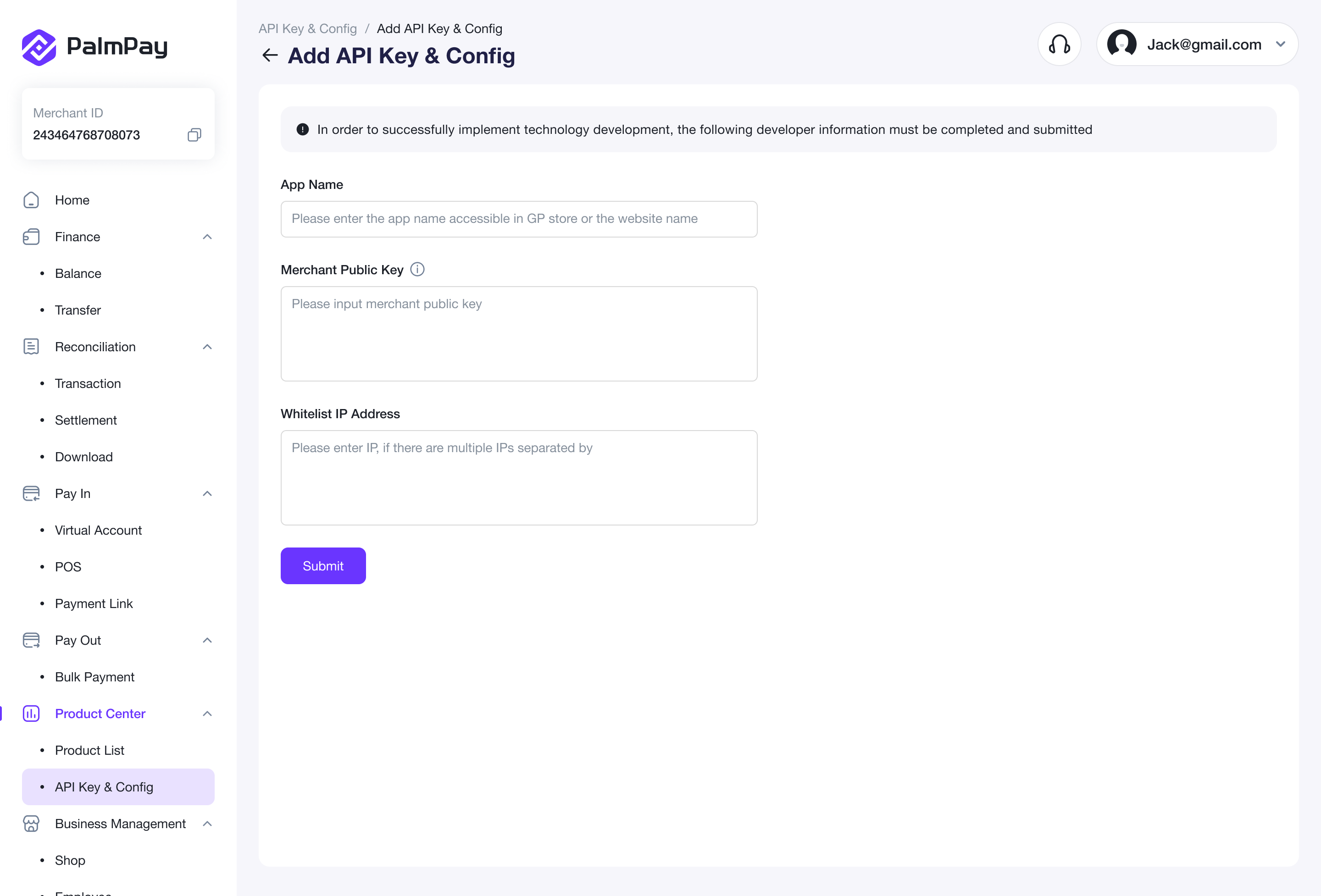
    After completing the product opening, the creation of multiple App IDs and API parameter configurations are supported here. The interface displays all successfully created App IDs, and each App ID can use exactly the same products and interfaces.
    pc2

    API Parameter Configuration Guide

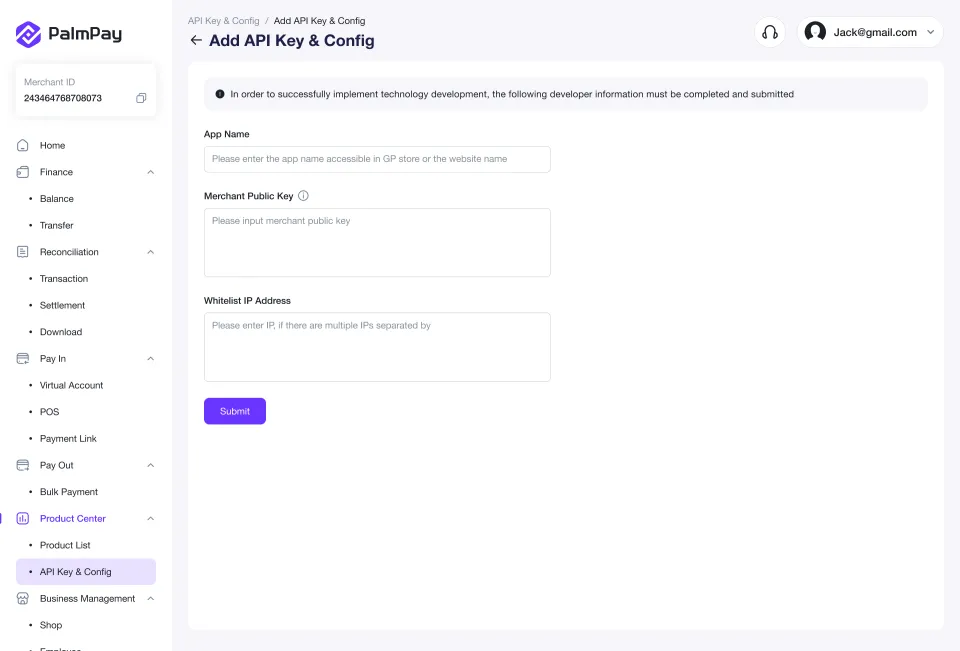
    1. Generate the secret key according to open document of [Generate Public and Private Key](https://docs.palmpay.com/#/en-us/basics-of-access/generate-a-private-key?id=%e7%94%9f%e6%88%90%e5%95%86%e6%88%b7%e5%85%ac%e7%a7%81%e9%92%a5), and then fill the secret key into the blank field of Merchant Public Key.
    2. The App Name can be customized.
    3. Fill in the IP domain name in Whitelist IP Address.
    pc3

    Parameter description

    ParameterParameter UsageRules or Other Related Instructions
    App IDThe ID of the merchant's application. You must specify the ID when you initiate a request.L, automatically generated by the system
    PalmMerchant Public KeyThe RSA asymmetric encryption public key provided by the PalmPay is generated by the PalmPay and used to decrypt the encrypted information provided by the PalmPay.None, users can directly copy and use it
    App NameThe merchant defines the name of the App, which is filled in by the merchant himself.No special rules
    Merchant Public KeyThe RSA asymmetric encryption public key generated by the merchant is generated by the merchant and provided to the PalmPay to decrypt the encrypted content returned by the merchant.Encryption rules: RSA asymmetric key, 1024 bits
    Whitelist IP AddressUsed for inter-system service security conditionsSeparate multiple IP addresses by (,)