
Pay In
Before using the product, please make sure that you have contacted BD to complete the opening of the product usage rights.
Payment Link(NG&TZ&GH)
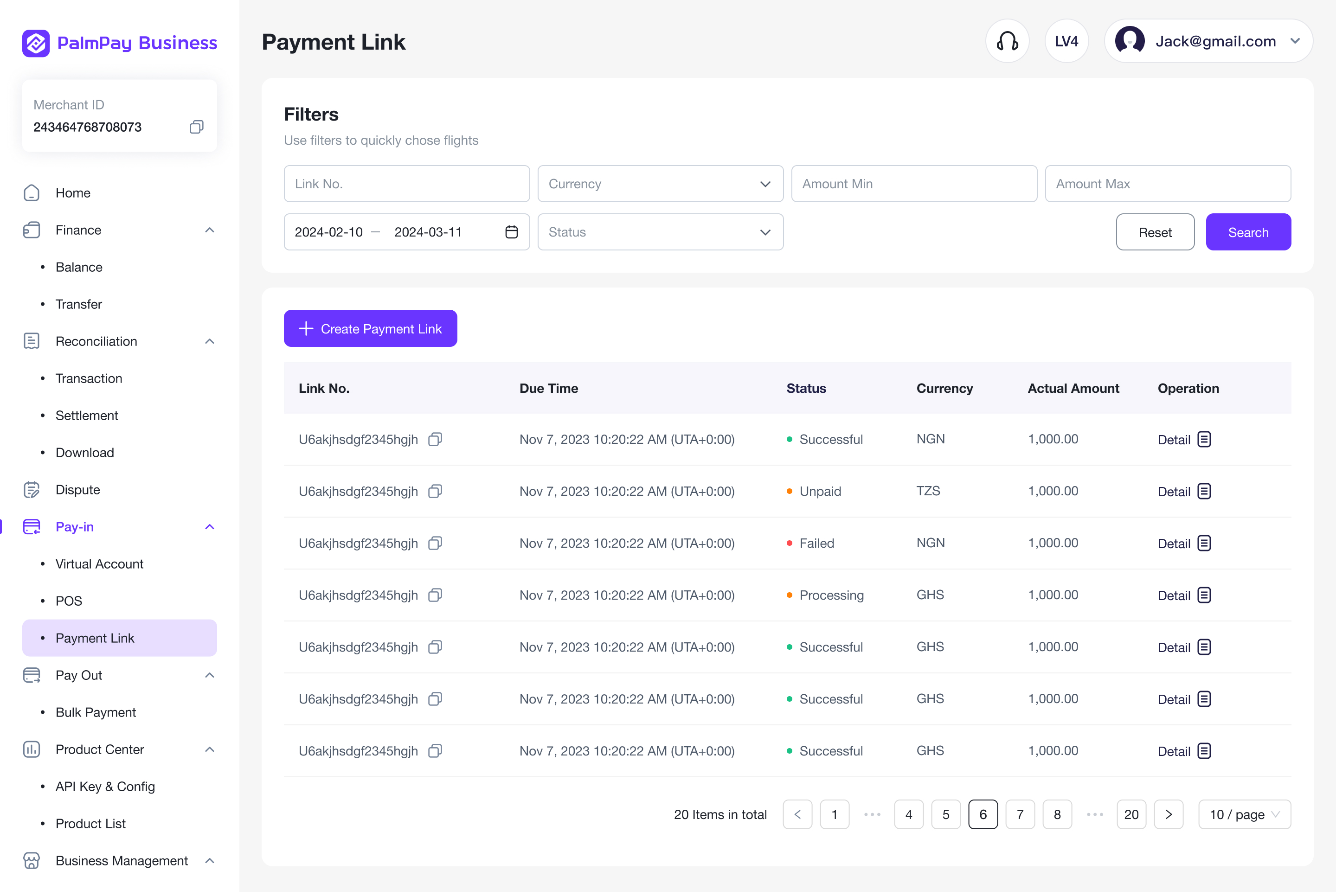
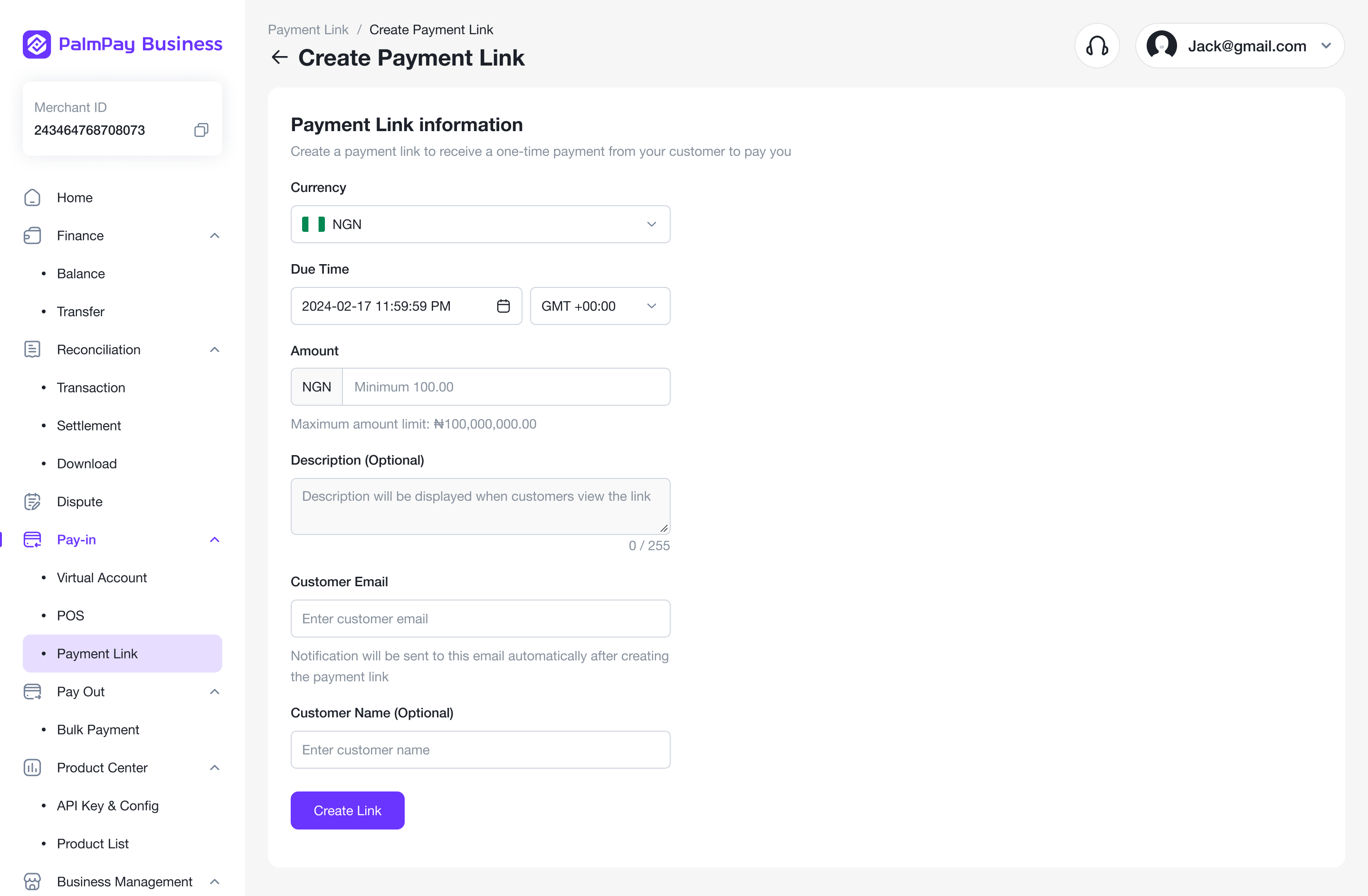
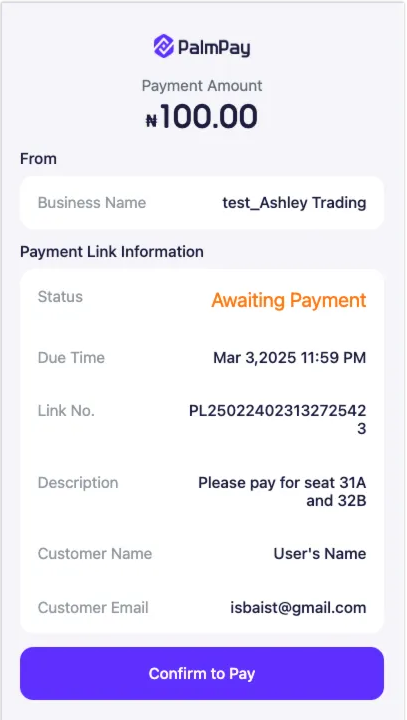
Payment Link is an acquiring product. After a merchant creates a Payment Link, the platform automatically sends it to the payer's email address, and the payer can click on the Payment Link to complete the payment.
After the account has been activated, please contact BD to obtain access to the Payment Link product.
Once the product is opened, it support you to use it through this website page.
How to use Payment Link
- Merchant Creation
*Path: Pay In>>Payment Link *
-
Merchant View: After the transaction order is initiated, the merchant can view it in Reconciliation>>Transaction.
-
Payer View
Virtual Account(NG)
White Label's external label account acquiring product allows you to view and manage all virtual accounts under a single account, enabling seamless fund management for various customers or business needs. Each virtual account is assigned a unique externally identifiable account number and supports fund transactions with major bank accounts in Nigeria.
Once activated, the product can be accessed and utilized via this website and API.
Virtual Account Management
Virtual accounts are categorized into two types: personal and corporate. When creating a virtual account, please fill in the BVN/NIN information for personal users or CAC information for corporate users accurately.
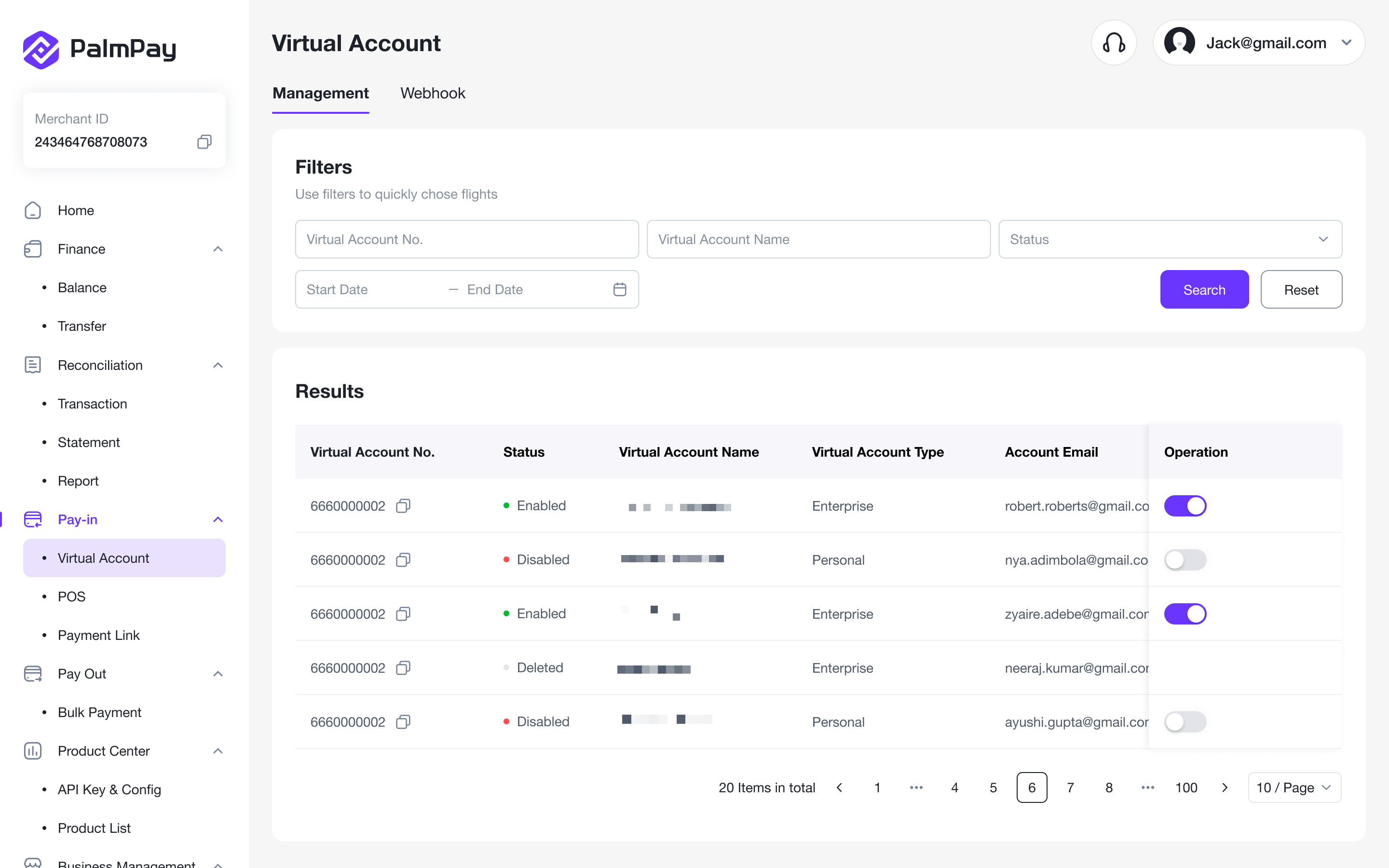
When the account status is Enabled, click the toggle switch to disable the account. A confirmation pop-up will appear—click Confirm to proceed. The account status will then change to Disabled.
Similarly, when the account status is Disabled, click the toggle switch to enable the account. Confirm the action by clicking Confirm in the pop-up window. This feature allows you to easily enable or disable a specific Virtual Account using the toggle switch.
Webhook Settings
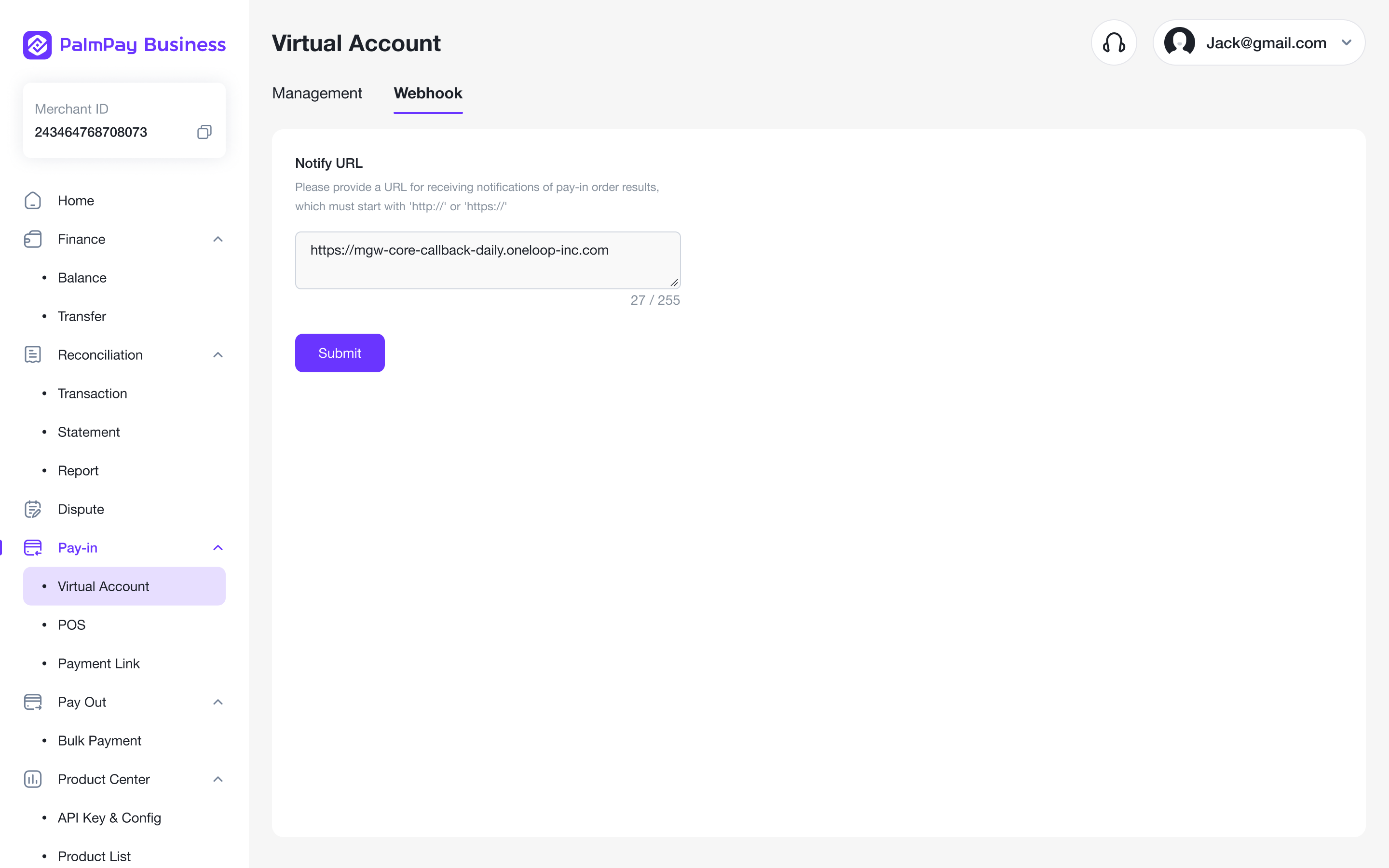
This supports configuring the address of the deposit order notification callback. Select the App ID to be notified and fill in the Notify URL field with the address to receive the callback notification.
Pay With Wallet(NG)
Here supports you to generate payment links in the form of Web/H5 or SDK by request, and the payer can then use the PalmPay account wallet to complete transactions such as product purchase or balance recharge.
Once the product is opened, it support you to access it through API.
Pay With Bank Transfer(NG)
Here supports you to generate temporary payee accounts on request to receive user transfers of specified amounts.
Once the product is opened, it support you to access it through API.
Pay With MoMo(GH&TZ&KE)
We support you to generate payment links in Web/H5 form by request, and the payer can then use Mobile Money account to complete transactions such as product purchase or balance recharge.
Once the product is opened, it support you to access it through API.
Pay With Instant EFT(ZA)
We support you to generate Instant EFT payment links in Web/H5 by request, the payer can choose their own account bank at the time of payment, log in to the online banking portal, select the payment account and authorize the payment, the bank will automatically process the payment instruction, the funds can quickly reach your PalmPay merchant account.
Once the product is opened, it support you to access it through API.