Pay Out
Before using the product, please make sure that you have contacted BD to complete the opening of the product usage rights.
Before using Pay Out, please make sure your account balance is sufficient.
Pay Out API(NG&TZ&GH&KE)
Supports you to transfer funds to any bank account and MMO account in your country in bulk using API.
Once the product is opened, it support you to access it through API.
Bulk Payment(NG&TZ&GH)
Here supports initiating batch transfers, and supports the query and export of history records.
Once the product is opened, it support you to use it through this website page.
Before using Bulk Payment, please make sure your account balance is sufficient. If you don't have enough money, you can top up your account by clicking Add Money in the upper right corner.
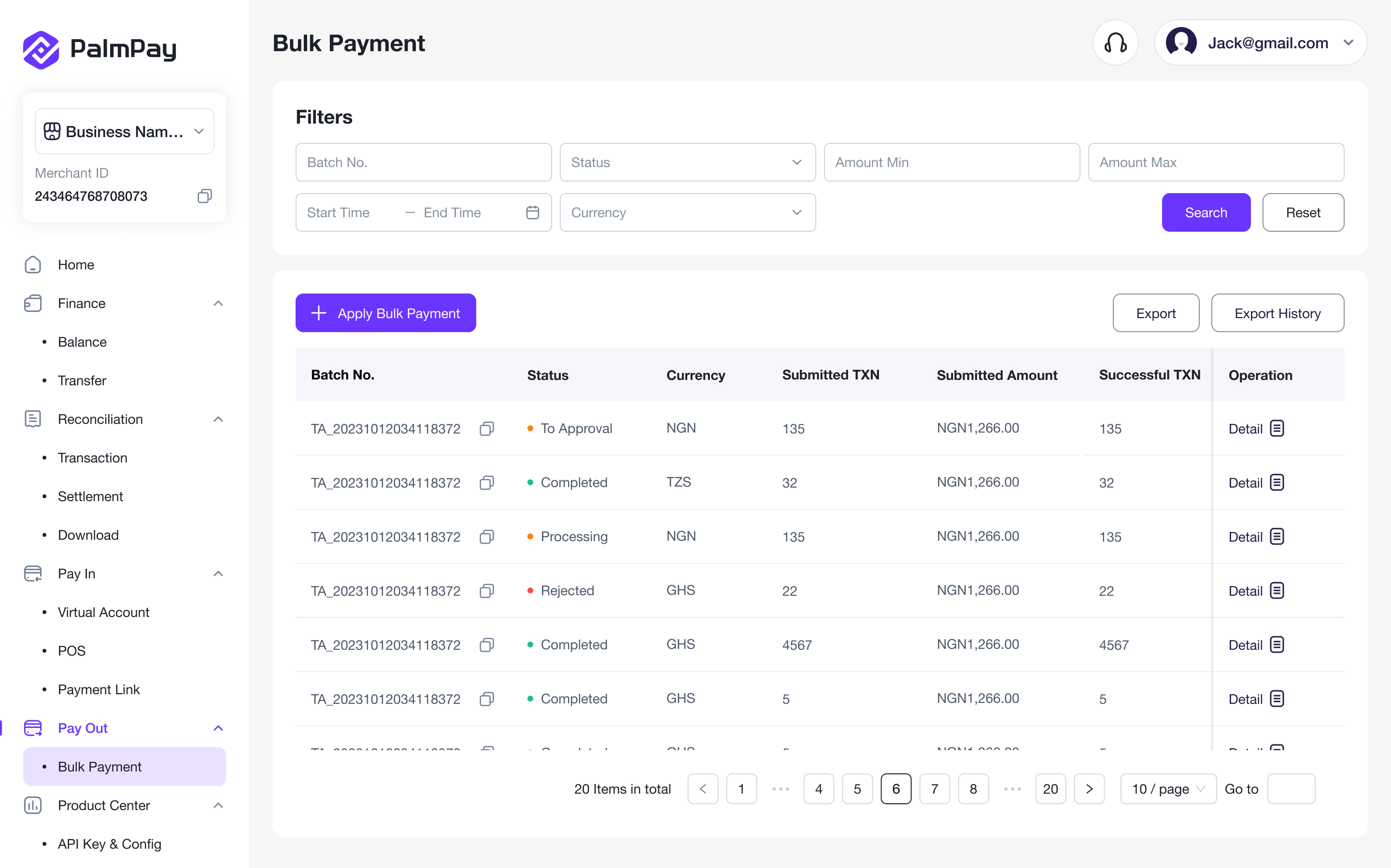
Initiation of Bulk Payment:
- Pay Out >> Bulk Payment >> 点击
Apply Bulk Payment
-
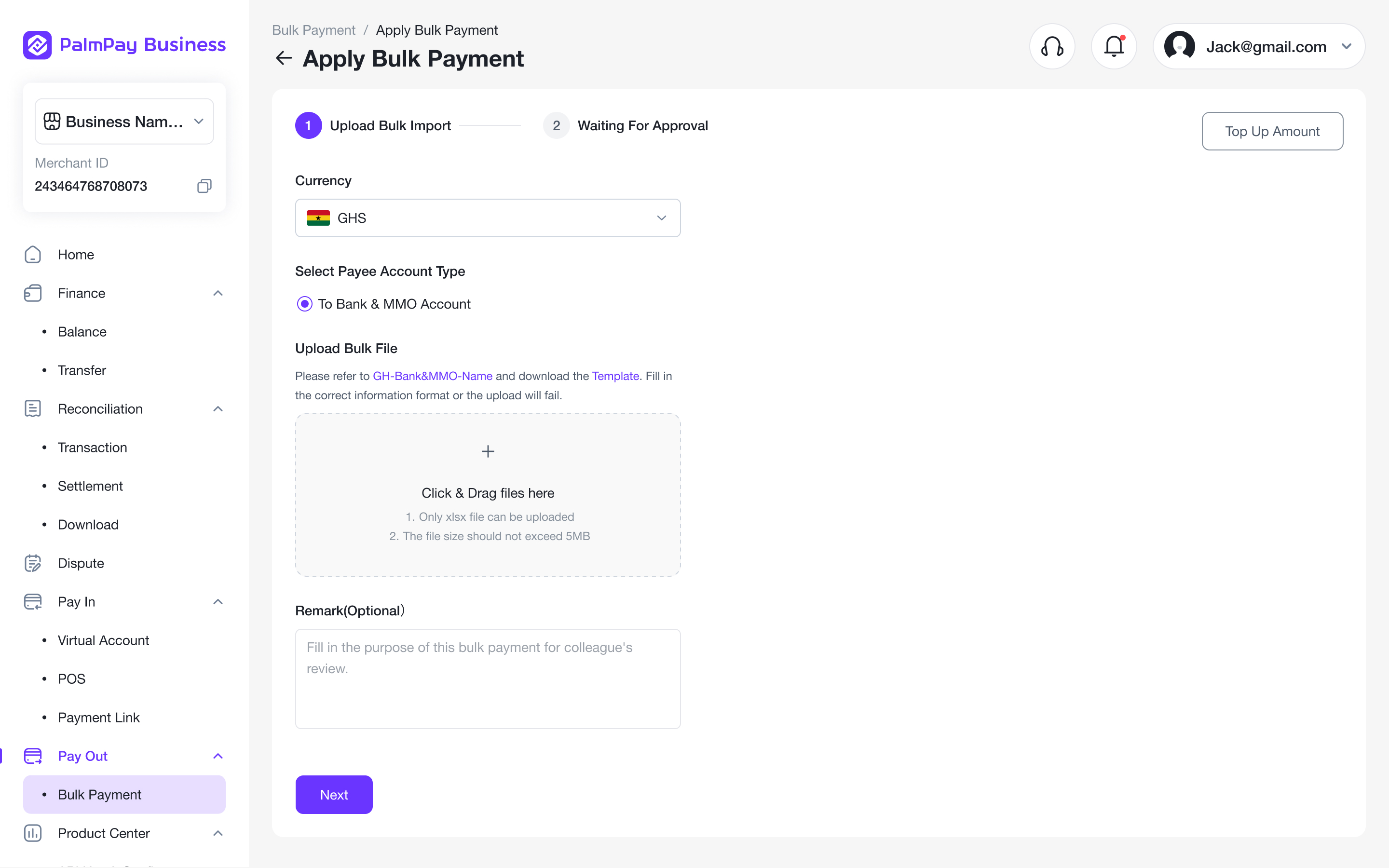
Select
To Bank & MMO Accountand upload the bulk file containing the collection details for the bulk payment. Ensure the file is completed according to the provided template.Click
Bank & MMO Nameto view the list of supported receiving bank accounts. You can download the template file by clickingTemplate.
Template Filling Requirements
- Bank Name, Bank Account Name, Bank Account No., Amount must be provided on the Bulk File form.
- Series No. Non-repeatable, non-empty
- Bank Name Please follow the naming method of
NG-Bank&Momo-Namefile to enter, otherwise the platform cannot recognize the corresponding bank.- Remark is optional
-
Remarks for the whole order: If you want to make remarks for the whole order for this Bulk Payment, please fill in the information at
Remarkon the submission page. -
Click "Next" to submit the application and then go to "Waiting For Approval" page to wait for approval.
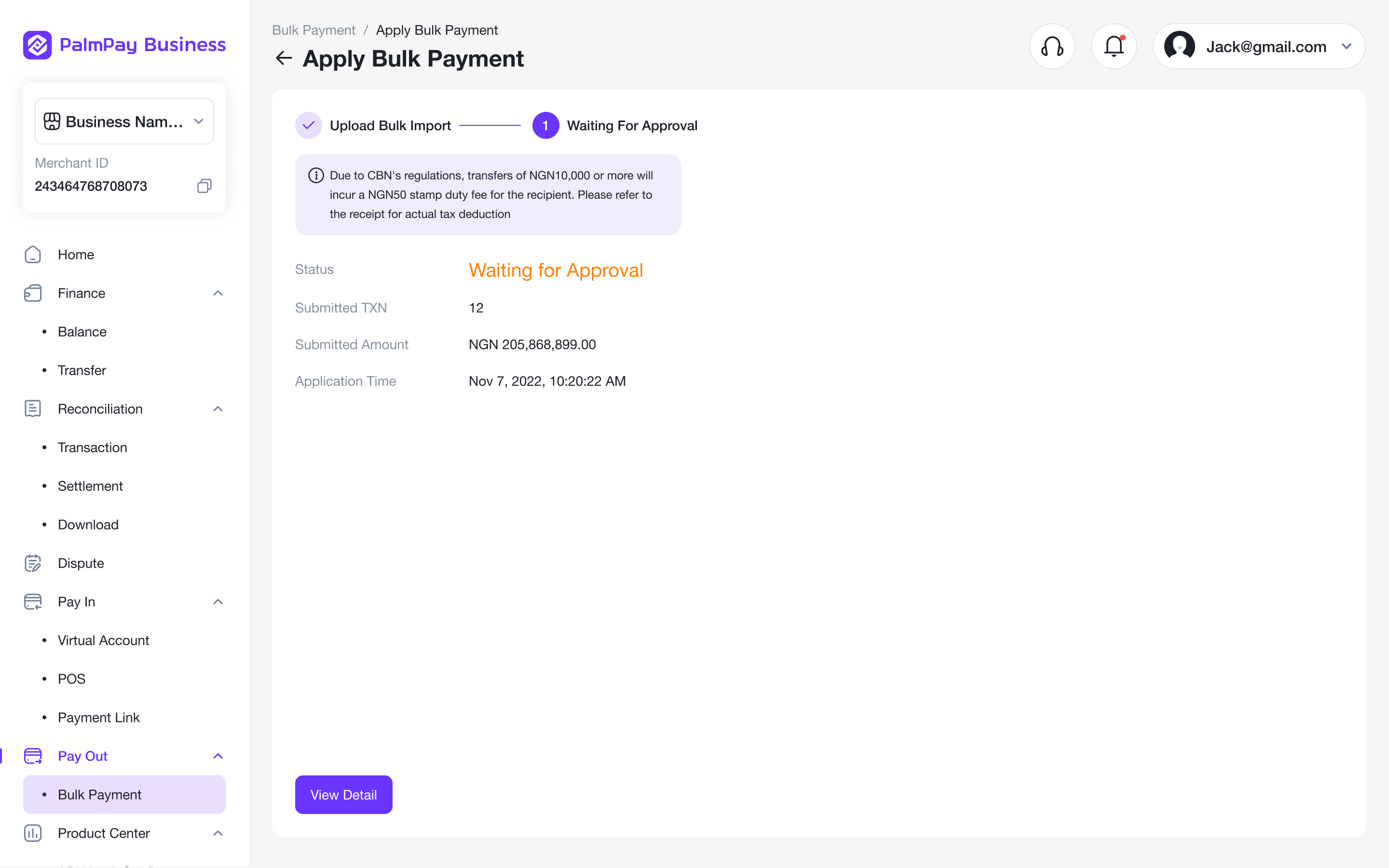
If there is an error in the document, you can follow the prompted message to correct it. Currently bulk transfers uniformly require approval by default.
Approval of Bulk Payment:
Only Administrator/Fund Controller/other custom roles with approval privileges can approve. If your current login account role is Administrator, you can contact Fund Controller role for review and approval, or approve it yourself. If your current login account role is Fund Controller, please contact other Fund Controller or Administrator role account for review and approval.
- Click
Pay-Out-Bulk Payment- find the corresponding approval order and clickDetailto enter the detail page for approval.
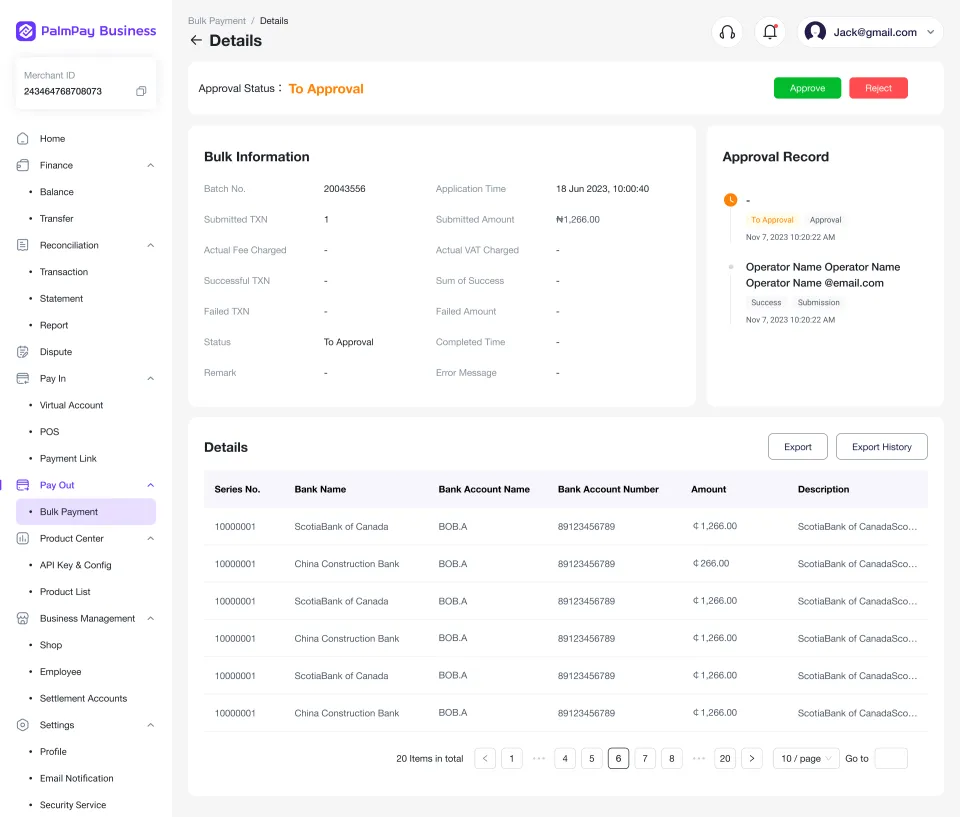
- Please check the information before approval. Details are the details of the submitted form.
2.1 Approve Process
If there is no error, click Approve and proceed to payment.
Confirm the total amount of payment, click Confirm to Pay if there is no error, and enter the Payment PIN to complete the payment.
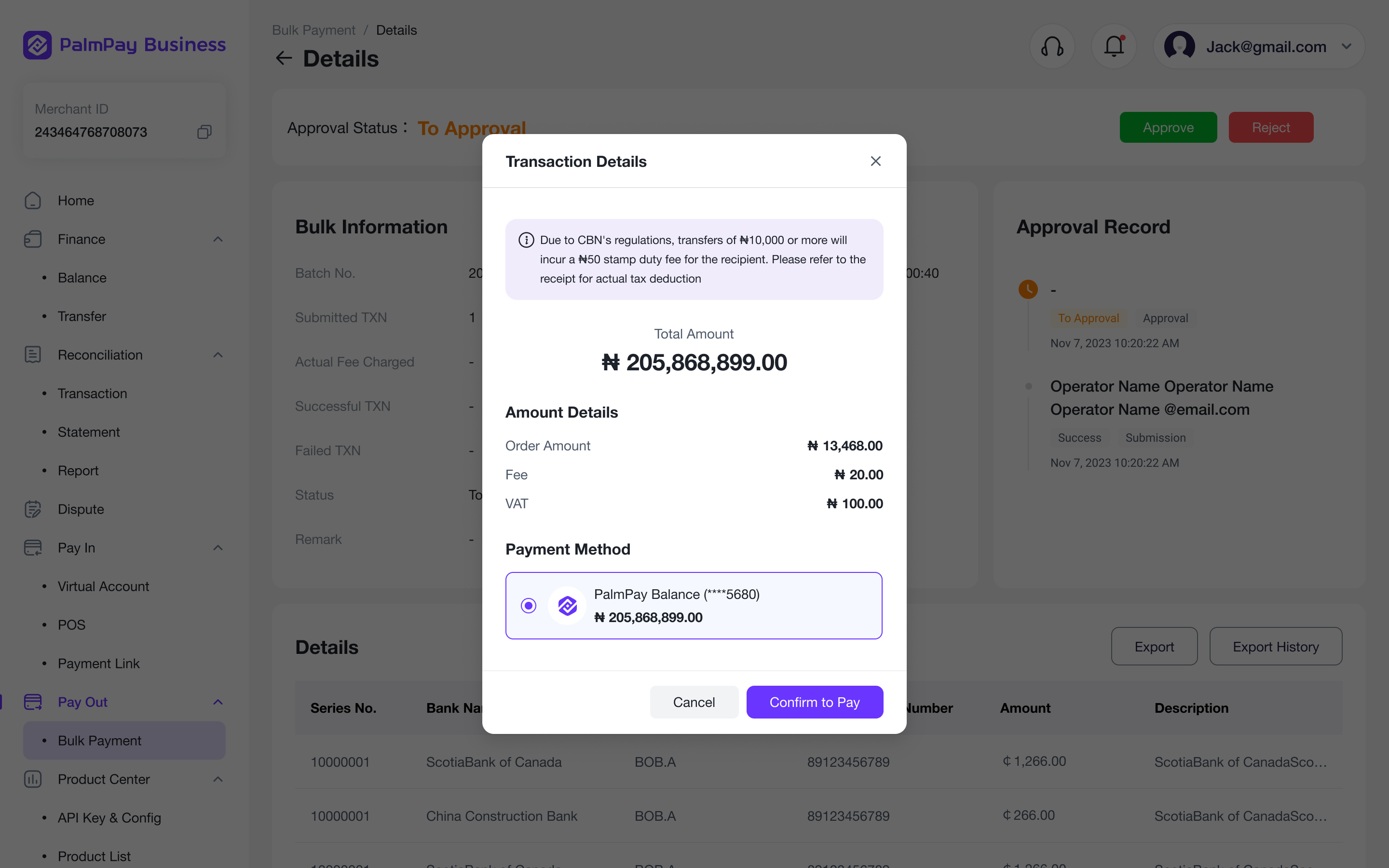
If your balance is insufficient, you will not be able to pay and will need to top up first.
Click View Details to view order details.
2.2 Reject Process
If the information is incorrect, click Reject to reject the document.
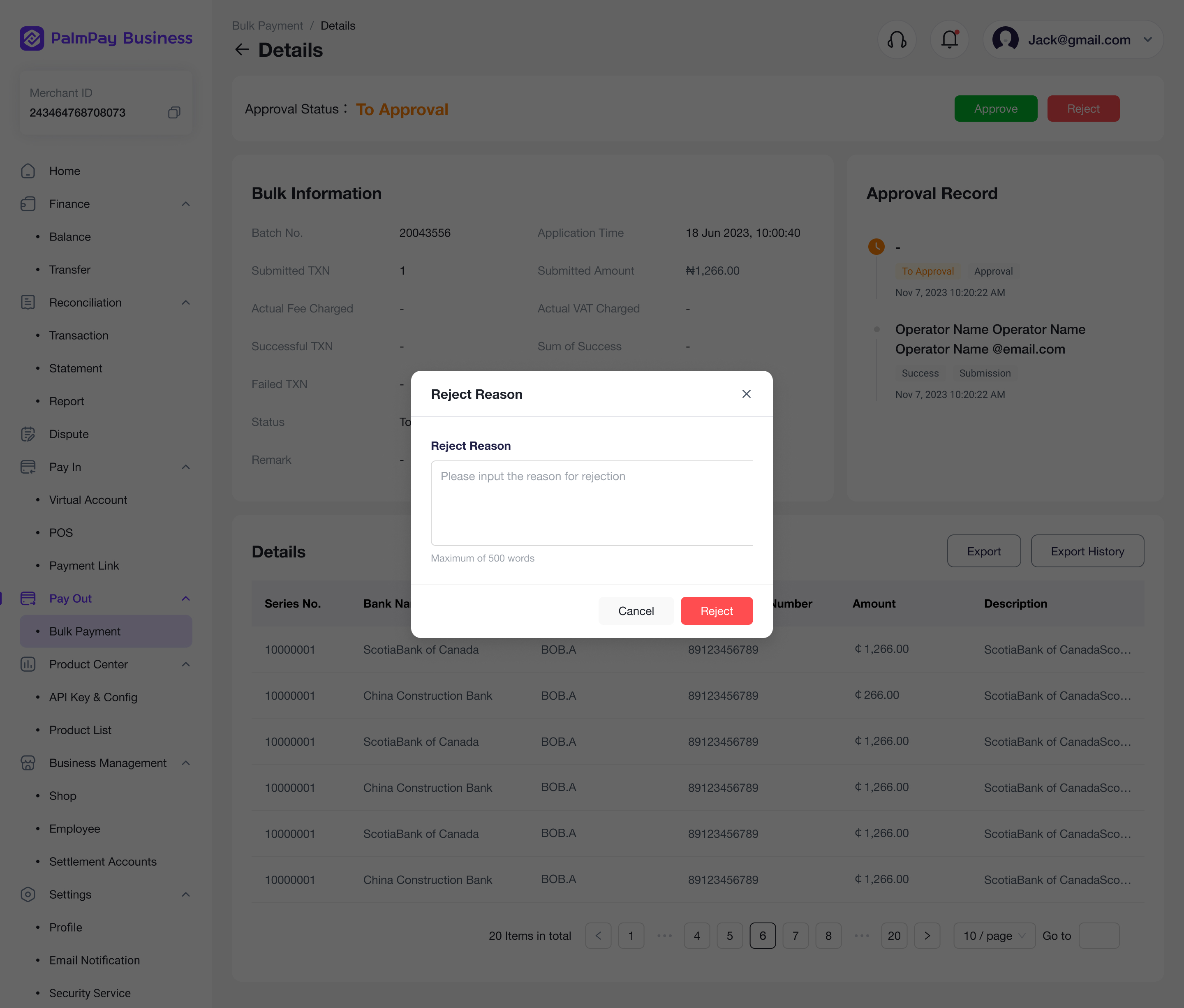
Enter the reason for rejection and click Reject to submit.
Bulk Payment History Query and Export
-
Query and export of batch records
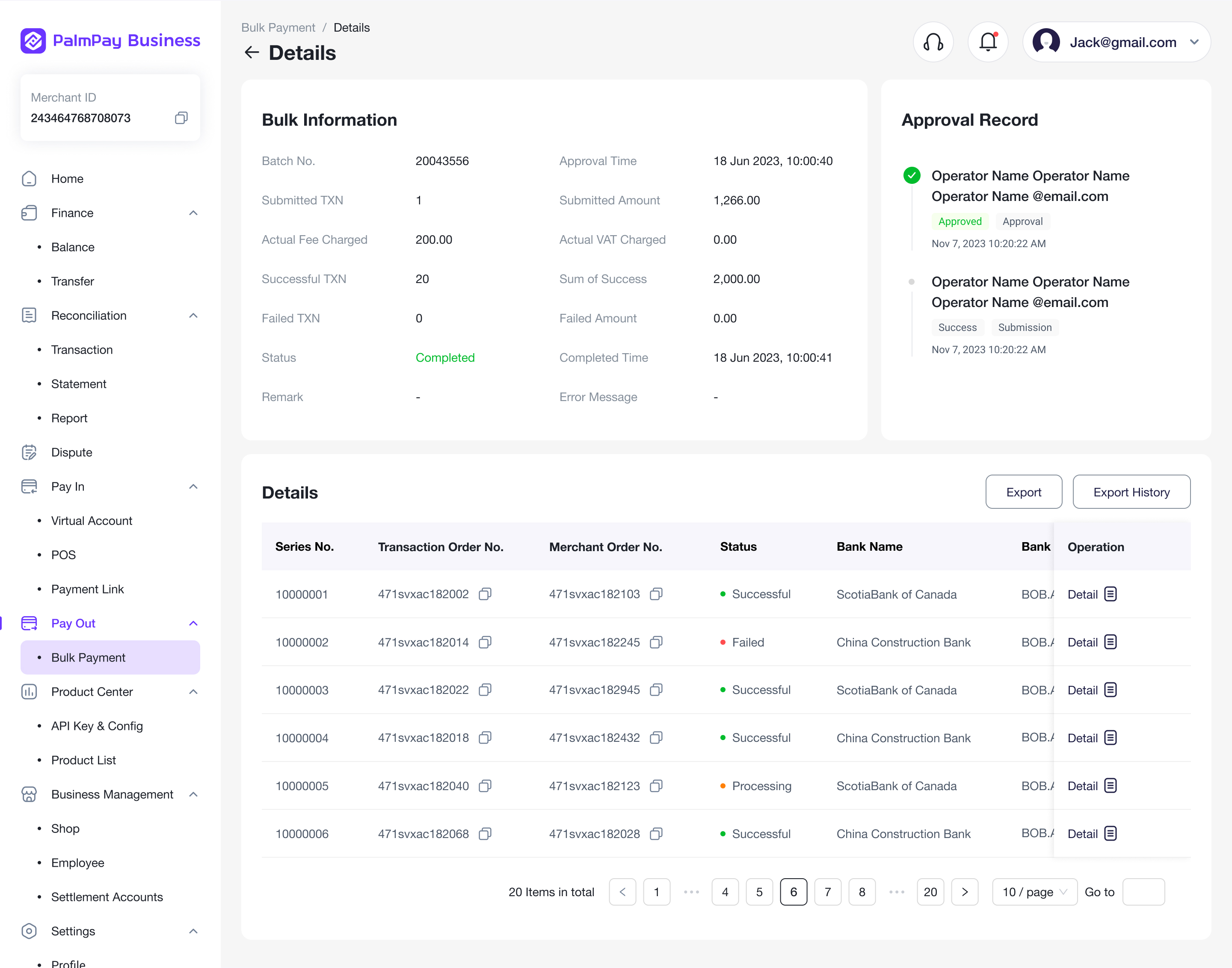
Here supports filter and view the history of Bulk Payment requests by Batch No. If you want to export, click
Exportto enter the Export Confirmation page, clickConfirmto enterExport Historyto find the corresponding export records, and then clickDownloadto download. -
Query and export of transaction details within a single batch
Click
Detailfor a certain batch of Bulk Payment to enter the transaction details page. If you want to export, clickExportto enter the Export Confirmation page, and then clickConfirmto enterExport Historyto find the corresponding exported records and clickDownloadto download them.